Review
This is a quick review
WinImage is a fully-fledged disk-imaging suite for easy creation, reading and editing of many image formats and fileystems, including DMF, VHD, VMDK, FAT, ISO, NTFS and Linux. The disk image is an exact copy of a physical disk (floppy, CD-ROM, hard disk, USB, VHD, VMDK disk, etc.) or a partition that preserves the original structure. With WinImage in place, you can recreate the disk image on the hard drive or other media, view its content, extract image-based files, add new files and directories, change the format, and defragment the image. All this and more is delivered in one intuitive user interface that enables imaging right out of the box. The program has many utilitarian uses at home and in the office. As a serious PC user, you probably have tons of old but still useful floppy disks. With WinImage in place, you can turn them into disk images, which can be stored on the hard drive and recreated, when a need arises. In combination with a CD creating tool, WinImage can help you create your own custom boot disk with hardware diagnostic or virus cleaning software to bring a problem PC back up and running without being in Windows. As a hard-disk backup solution, WinImage allows you to save hours and even days restoring a system and configurations on a machine that has experienced a hard-disk crash or software corruption. Along with homes and offices, this ability is a must for training classes, where restoring torn down PC configurations quickly is critical.
The following full-length review applies to version 8.0
WinImage can create and edit disk image files. Disk image files are files that can store the entire data of a disk as it is, so that we can reproduce it, or transfer it to another disk (create an exact copy of it). The disk can be a floppy disk, a hard disk volume, or a CD/DVD. Most of you must be familiar with disc imaging with Nero, where we can only use a CD/DVD.
Now, WinImage can create image files from a floppy, a CD/DVD and also a hard disk volume/partition. WinImage can read images created by other disk copy utilities like Super-DiskCopy, DCF (Disk Copy Fast), DrDos, etc.
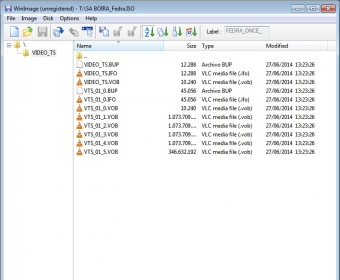
We can open an image in WinImage and extract individual files. We can also create a new image by selecting the files / folders we need. We have the option of selecting the type of our image, like 1.2 MB, 1.44 MB disk, etc or a custom setting can be specified. We can also open vhd files (Virtual Hard Disk by the Microsoft Virtual PC or VMware).
We can defragment an image file, edit its MBR, compare two disk images or disks, etc. “FileDisk” driver can be installed to be used with this program to create virtual disks that can be used with Windows - something similar to Alcohol or Daemon Tools, but only the drive, not the software.
All of these features make it the best program of its kind. |